· Learnings · 5 min read
Giving a Still Hero a Little Motion with a Low-Opacity Video
My hero section looked finished and felt frozen. A smoke loop at 40% opacity brought it to life, but only after I stopped laying it over its own picture.
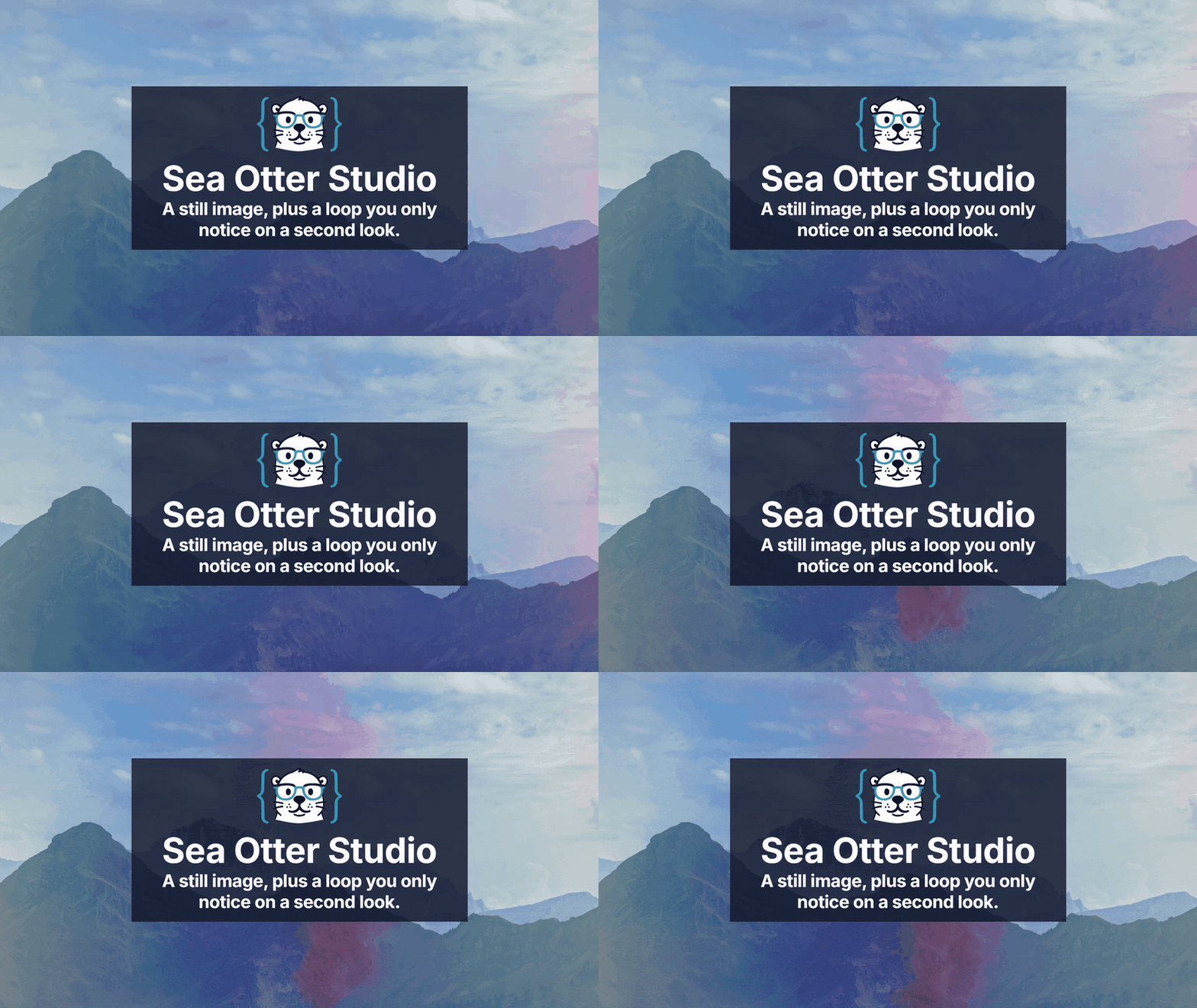
The hero on Sea Otter Studio had a title, a tagline, and the mascot, and it looked done. It also looked like a poster. I wanted a little movement behind the title, the kind you only catch on a second look, without turning the page into a video background where the words have to fight the footage.
I had solved this once before. On a Svelte project, the hero was a still photo with a video looping on top of it at low opacity, and it made the page feel alive without anyone noticing why. So I took that markup, rebuilt it as an Astro widget, and spent an afternoon finding out which part of the trick actually matters.
Ground rules
Before touching any code, I had to get three things straight:
- The video is muted. Browsers only autoplay video that has no sound, so
mutedis not optional.playsinlinekeeps iPhones from pulling it into fullscreen. - It is decoration. No controls, no play button, and
aria-hiddenso screen readers skip it. - The picture underneath is the real hero. If the video never loads, or someone has asked their browser for less motion, the page should still look finished.
The clip
I used footage of a blue and pink smoke background by Engin Akyurt on Pexels. The license allows free commercial use and modification, and credit is not required, but it is his clip so I link it.
The source clip is 55 seconds long. I used a smaller download for the experiment, then made a separate web version for the demo: a silent H.264 MP4 scaled to 960 pixels wide. The effect does not need perfect detail, so keeping the moving layer modest is more useful than preserving the source resolution.
Attempt one: smoke over its own still
My first idea sounded tidy. Pull one frame out of the clip with ffmpeg, use it as the background, and the still and the loop would match perfectly.
ffmpeg -ss 2 -i smoke.mp4 -frames:v 1 hero.jpgIt matched so well that nothing happened. Blue and pink smoke drifting over a picture of blue and pink smoke just looks like the photo slowly changing shade. The motion had nothing to move across, so it never read as motion.
Attempt two: smoke over a scene
I swapped the background for a mountain ridge under a cloudy sky, and the effect appeared straight away. The photograph stays put, and the smoke drifts over it like weather. That is the version I kept.
The markup is the same idea as the Svelte one: a div with the photo as its background, and the video stretched over it at 40% opacity.
<div class="relative min-h-[60vh] overflow-hidden bg-cover" style="background-image: url(background.jpg)">
  <video
    autoplay
    muted
    loop
    playsinline
    aria-hidden="true"
    class="pointer-events-none absolute top-0 right-0 h-full w-full opacity-40 max-md:w-auto max-md:max-w-none"
  >
    <source src="smoke.mp4" type="video/mp4" />
  </video>
  <div class="relative z-10 flex min-h-[60vh] items-center justify-center px-4 py-12 text-center">
    <!-- title goes here -->
  </div>
</div>
A few of those classes are doing real work. pointer-events-none stops the video from catching clicks meant for the content. relative z-10 keeps the title above it. And on phones, max-md:w-auto max-md:max-w-none lets the clip keep its proportions at the height of the hero and crop off the edge, instead of squishing it to fit.
On the site, that markup is a VideoOverlay widget. The page hands it the photo and the clip, and whatever goes between the tags lands in the content layer.
<VideoOverlay image={backgroundUrl} video={smokeUrl}>
  <h1>Sea Otter Studio</h1>
</VideoOverlay>
The title sits inside a dark, translucent card (bg-gray-900/80) on the demo page. White text over clouds with smoke moving through them is not reliably readable on its own, and the card was part of the Svelte original for the same reason. As for the 40%, I kept the number from the Svelte version. I haven't gone hunting for a better one.
You can see the whole thing running on the video overlay demo page .
The catches
It works, but there are still a couple of things worth deciding before this goes anywhere near a real homepage:
- Delivery. Both layers have been resized and compressed for the demo. The photograph is a static background, and the smoke is a silent MP4 because this is decorative motion rather than a film that needs sound or controls. If the same effect were used in several places, I would keep one source clip and generate the web versions during the build or at the CDN.
- Reduced motion. The widget hides the video with a media query. That gives people who prefer less motion the still image, but hiding an element does not necessarily prevent the browser from requesting its source. If avoiding the request matters, load the video conditionally with a script or render it only when the media query allows motion.
@media (prefers-reduced-motion: reduce) {
  video {
    display: none;
  }
}
Final Thoughts
The video turned out to be the seasoning, not the meal. A loop over its own still showed me that the trick only works when the photograph underneath is a scene worth looking at, and the smoke then reads as atmosphere. I will reach for this on a landing page that wants a little life, and leave it off anywhere the type should do all the talking. And I am glad I bothered with a second attempt, since the clip I almost gave up on was fine all along. It just needed mountains.